Kido
For my bachelor’s project, we designed a tool that helps daycare educators record observations and use them to plan activities around a child’s interests.
Project film
Design for the workday educators actually have
We interviewed five parents and spoke with leaders and educators at two daycare centres in Ulm and Waiblingen. Their documentation methods differed, but both centres had limited time to prepare observations, fill out forms and discuss them as a team.
When we couldn’t observe a live session with children, we watched educators complete a paper form using a short video. Then we tried the same exercise. Writing fast enough was hard. Switching from what we’d seen to what it might mean made it harder still.

Keep the observation close to the interpretation
An educator records the observation on a phone and later opens the video beside the form. A timestamp points colleagues to the exact moment. Together they can discuss what they saw before choosing an activity and observing how the child responds.

Follow one observation
A fictional example of how one observation becomes a planned activity.
Watch where the task breaks
We ran three moderated prototype sessions with seven tasks in each session, from looking up information to adding a timestamp. Participants valued seeing the recording and the form together, yet the number of competing navigation controls made it hard to tell what to do next.
One participant dragged the timestamp icon towards the text field and missed the confirmation. The comparison below shows what we changed.
Where does confirmation appear?
In testing, an educator looked near the video and missed the pop-up beside the form. These two screens from the project documentation show what changed.
Tested prototype

Revised design

Reduce the work of completing the form
We moved progress and chapter navigation to the side and gave each question its own screen. This kept the recording and the current question in view while making it easier to see where you were in the form.
We dropped handwriting scans after trying two approaches. Scanning field by field was awkward, and sorting a batch of scanned notes created more work. The prototype tests told us where to simplify the interface. Time saved during a real shift still needed to be measured.
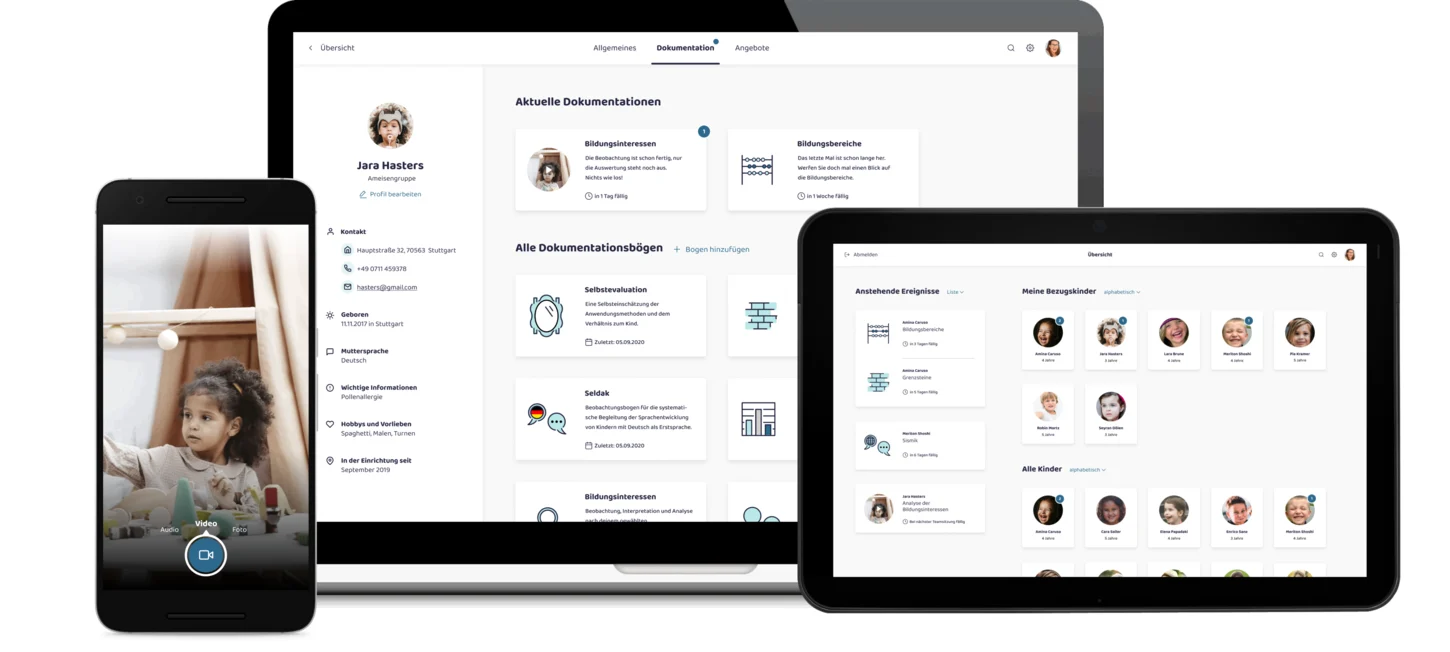
The desktop overview brings the child’s profile, current tasks and the full catalogue together. Upcoming work has its own space, so educators can pick up an observation in progress or choose another form from the same screen.
